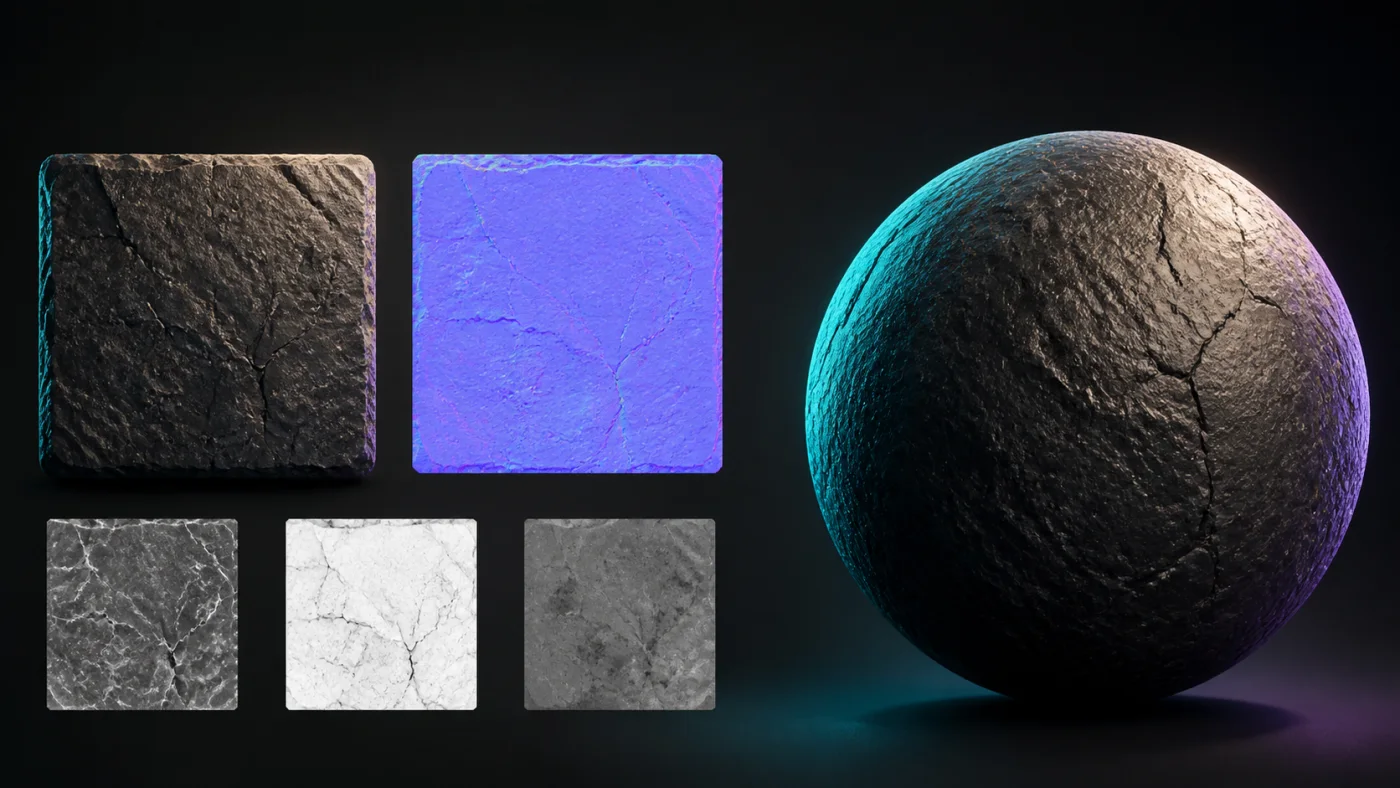
Create a normal map online with controls you can inspect
This online normal map generator encodes surface direction in RGB channels so a renderer can react to light without adding mesh geometry. Red represents the horizontal direction, green the vertical direction, and blue points away from the surface. It works as a practical normal map maker for materials, sprites, UI relief, mockups, and rapid look development while keeping the source in your browser.
To make a normal map, use Sobel for a balanced result or Scharr when small diagonal details need more weight. Strength controls the apparent slope rather than merely increasing contrast. Blur can suppress compression noise before derivatives are calculated, while edge wrapping avoids a hard border when the source is intended to tile.
- Switch between OpenGL and DirectX green-channel conventions.
- Preview on a plane, sphere, or cube before exporting.
- Choose Unity, Unreal Engine, Blender, or Godot defaults.
- Inspect clipping, flatness, seam risk, and power-of-two sizing.
OpenGL versus DirectX normal maps
The two formats usually differ only in the green channel. OpenGL treats green as positive Y, while the common DirectX convention points it in the opposite direction. A map with the wrong convention makes dents look like bumps and lighting appear to come from the wrong side. The format switch flips the channel deterministically, so you can export the correct orientation without round-tripping through an image editor.
Engine presets are transparent shortcuts, not opaque corrections. The status line names the selected convention, and the quality panel keeps orientation visible before download.
What luminance conversion can and cannot recover
A single color image does not contain true geometry. Brightness may describe height, paint color, lighting, or all three at once. The generator therefore creates a useful artistic approximation, not a physically measured surface. Start with an evenly lit source, remove baked shadows when possible, and compare the result under a moving light.
For photographed materials with baked illumination, the height inversion and blur controls can correct the most obvious direction and noise problems. For depth inferred from scene context rather than brightness, use the optional AI depth workflow only after reviewing its upload disclosure.
Questions about creating normal maps
These practical answers explain when local conversion is enough and when a different workflow may be useful.
Can AI generate normal maps?
AI can estimate scene depth or infer material structure, then that result can be converted into a normal map. It may recover context that luminance misses, but it is still an estimate. Normal Map Studio keeps AI optional and asks for upload consent before sending an input to FAL.
How do you create a normal map from an image?
Load an evenly lit image or height map, choose Sobel or Scharr, adjust blur and strength, then inspect the surface under a moving light. Select OpenGL or DirectX for the destination renderer and export the PNG only after bumps and dents face the expected direction.
Can I create a normal map for free?
Yes. The local generator includes all four map channels, 2D and 3D previews, engine presets, quality checks, and PNG or basic ZIP export up to 2048 pixels on the longest side without an account.
How do I make a normal map for Blender?
Choose the Blender preset and keep the OpenGL +Y convention unless your material pipeline specifies otherwise. Connect the exported texture through Blender's Normal Map node, set the image to non-color data, and verify the result with a movable light before final rendering.
Resolution, tiling, and export settings
Pick a resolution from the size the surface occupies on screen rather than from the source image. The free workbench exports up to 2048 pixels on the longest side, which is enough for most real-time materials; a Pro Local license raises the limit to 8192 for large architectural surfaces and close-up work. Every step up in resolution multiplies memory, load time, and the cost of compression in the destination project, so the smallest size that holds the visible detail is usually the right one.
Keep the size a power of two where the destination expects it. Mipmap generation and block compression behave more predictably at 1024 or 2048 than at an arbitrary width, and a non-power-of-two map can introduce sampling differences between platforms that are tedious to trace back. If the source is not a power of two, resize before generating rather than after.
Import the exported PNG as non-colour data. A normal map stores direction, not brightness, so treating it as sRGB remaps the channel values and changes the surface slope even though the file itself is unchanged. This single setting accounts for a large share of reports that a normal map looks subtly wrong in an otherwise correct pipeline.
Export the channel convention the renderer actually reads. The OpenGL and DirectX switch flips the green channel deterministically, so a map exported for one convention is repaired by exporting again for the other rather than by editing the image. Where a project mixes engines, keep both versions with the convention recorded in the filename instead of relying on memory.